Building APL: An Autonomous Coding Agent for Claude Code
Build an autonomous coding agent that cuts context switches from 20 to 3 per feature using phased planning, ReAct execution, and persistent self-learning.
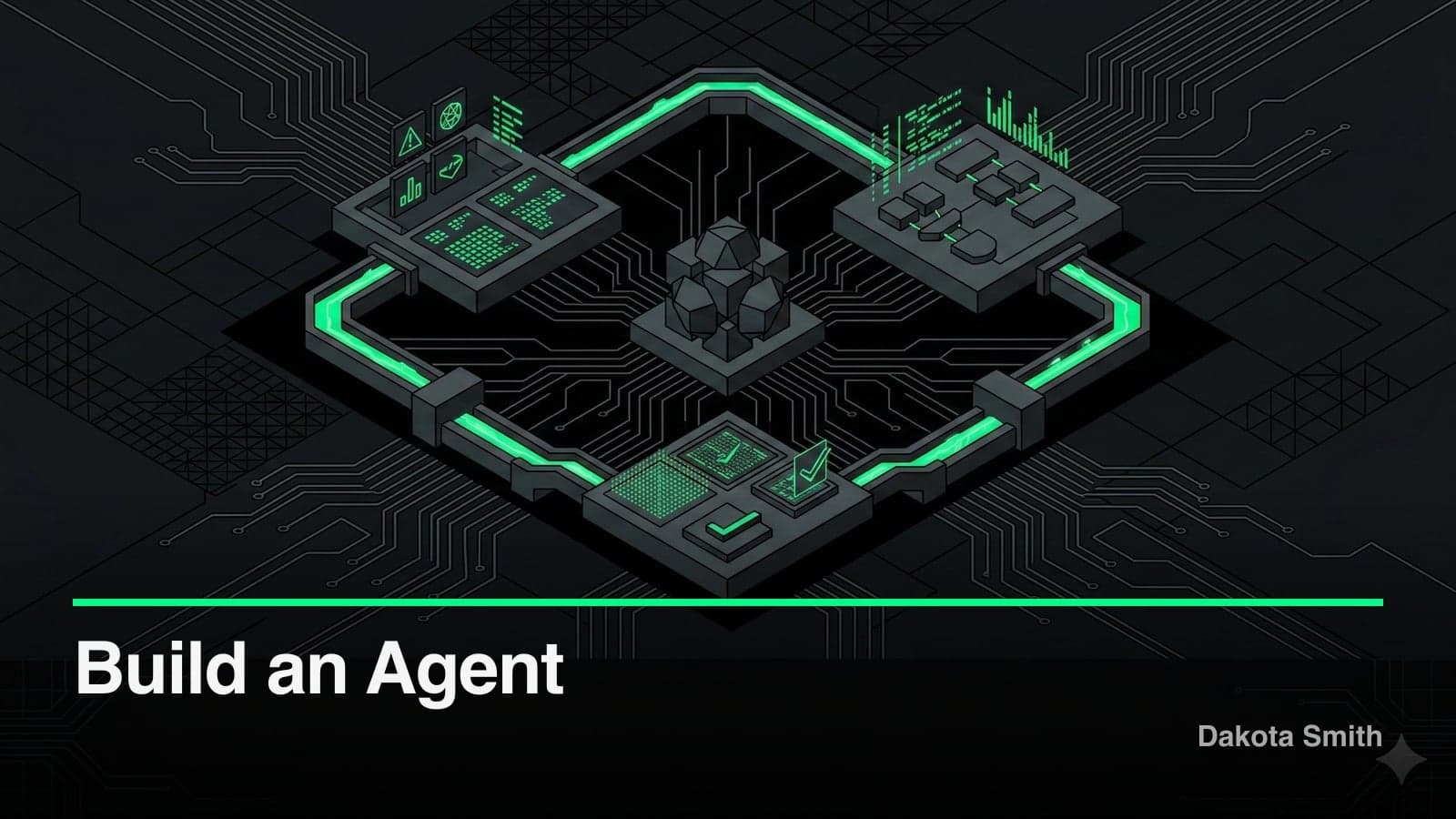
Context switches dropped from 15-20 to 2-3 per feature. Rework from missed requirements fell from 30% to 8%. Time to first working version collapsed from hours to minutes.
Those numbers come from APL—the Autonomous Phased Looper—a Claude Code plugin I built to handle entire features autonomously. APL plans work using Tree-of-Thoughts decomposition, executes tasks through ReAct loops, reviews its own output with Reflexion, and persists what it learns to disk. It has since shipped several production projects, including this blog.
This post covers why vanilla Claude Code stalls on complex features, how the three-phase architecture solves it, and what APL learned from building real software.
Why Vanilla Claude Code Stalls on Complex Features
Claude Code excels at individual tasks. Write a function, refactor a component, debug an error—it delivers. But complex features require coordination: understanding requirements, breaking down work, executing in sequence, and verifying results.
Running Claude Code manually for each subtask introduces friction:
- Context gets lost between sessions
- No systematic verification of completed work
- Repeated mistakes without learning
- Human bottleneck for every decision
A new feature with 15 subtasks means 15 context switches, 15 opportunities for misalignment, and no guarantee the pieces fit together. I needed a system that could operate autonomously while maintaining quality. That system also needed to integrate with specialized plugins for domain-specific tasks.
The Three-Phase Architecture
APL structures autonomous work into three distinct phases: Plan, Execute, and Review. Each phase has a specialized agent optimized for its task.
┌─────────────────────────────────────────────────────────┐
│                    APL ORCHESTRATOR                      │
└─────────────────────────┬───────────────────────────────┘
                          │
        ┌─────────────────┼─────────────────┐
        ▼                 ▼                 ▼
   ┌─────────┐      ┌──────────┐      ┌─────────┐
   │  PLAN   │ ───▶ │ EXECUTE  │ ───▶ │ REVIEW  │
   │  PHASE  │      │  PHASE   │      │  PHASE  │
   └─────────┘      └──────────┘      └─────────┘
        │                 │                 │
   Tree-of-Thoughts  ReAct Loops     Reflexion
   Task Breakdown    Parallel Exec   Self-Critique
Phase 1: Planning with Tree-of-Thoughts
The planner agent receives a goal and decomposes it into a structured task list. This isn't bullet points—it uses Tree-of-Thoughts reasoning to explore multiple approaches before committing to one.
// Example task decomposition output
{
  "goal": "Add user authentication to the API",
  "tasks": [
    {
      "id": "task_001",
      "subject": "Create User model with password hashing",
      "success_criteria": [
        "User schema includes email, passwordHash, createdAt",
        "Password hashing uses bcrypt with cost factor 12",
        "Model exports TypeScript types"
      ],
      "dependencies": [],
      "parallel_safe": true
    },
    {
      "id": "task_002",
      "subject": "Implement JWT token generation",
      "success_criteria": [
        "Tokens include userId and expiration",
        "Secret loaded from environment variable",
        "Expiration set to 24 hours"
      ],
      "dependencies": ["task_001"],
      "parallel_safe": false
    }
  ]
}
The key insight: success criteria are defined upfront. The coder agent knows exactly what "done" looks like before writing a single line. This same principle—explicit completion criteria before execution—later became central to how STUDIO validates every build step.
Phase 2: Execution with ReAct Loops
The coder agent implements each task using the ReAct pattern: Reason, Act, Observe, Verify.
┌──────────────────────────────────────────────────────┐
│                    ReAct LOOP                         │
│                                                      │
│  ┌─────────┐    ┌─────────┐    ┌─────────┐         │
│  │ REASON  │───▶│   ACT   │───▶│ OBSERVE │         │
│  │         │    │         │    │         │         │
│  │ "What   │    │ Write   │    │ Check   │         │
│  │ approach│    │ code,   │    │ output, │         │
│  │ solves  │    │ run     │    │ errors, │         │
│  │ this?"  │    │ tests   │    │ results │         │
│  └─────────┘    └─────────┘    └────┬────┘         │
│                                      │              │
│                      ┌───────────────┘              │
│                      ▼                              │
│                 ┌─────────┐                         │
│                 │ VERIFY  │──── Success? ───▶ Next  │
│                 │         │                   Task  │
│                 │ Check   │                         │
│                 │ success │──── Failure? ───▶ Retry │
│                 │ criteria│                         │
│                 └─────────┘                         │
└──────────────────────────────────────────────────────┘
When independent tasks exist, APL executes them in parallel. A task graph ensures dependencies are respected while maximizing throughput.
Phase 3: Review with Reflexion
After execution completes, the reviewer agent performs self-critique using the Reflexion pattern. It examines all changes holistically:
- Do the changes satisfy the original goal?
- Are there cross-task issues (inconsistent naming, conflicting patterns)?
- Did any task introduce regressions?
- What patterns worked well? What failed?
The reviewer outputs both fixes and learning insights. Fixes trigger another execution cycle. Insights persist to the learning system.
The Self-Learning System
APL maintains a .apl/ directory in each project with accumulated knowledge:
.apl/
├── patterns/
│   ├── success/           # Approaches that worked
│   └── anti-patterns/     # Approaches that failed
├── preferences/           # User coding style preferences
├── project-knowledge/     # Project-specific context
└── session-logs/          # Execution history
Before planning, the planner agent consults this knowledge base. Before coding, the coder agent reviews relevant patterns. The learner agent extracts insights after each session.
// Example learned pattern
{
  "id": "pattern_auth_001",
  "category": "authentication",
  "title": "JWT refresh token rotation",
  "context": "When implementing JWT auth with refresh tokens",
  "pattern": "Store refresh tokens in httpOnly cookies, rotate on each use, maintain a token family for revocation",
  "why": "Prevents token theft and enables immediate revocation of compromised sessions",
  "learned_from": "session_2026-01-15_auth_impl",
  "success_rate": 0.95
}
Over time, APL becomes more effective on your specific codebase. A project with 20 sessions of accumulated patterns produces measurably better output than a fresh project—fewer retries, fewer style mismatches, faster planning. This persistence model is what separates APL from running Claude Code repeatedly. My dev setup includes tools that make these learning loops visible across sessions.
Error Handling and Recovery
Autonomous systems fail. APL handles this through three mechanisms:
Graduated Retry Logic: Simple errors (syntax, imports) retry immediately. Complex errors trigger reasoning about the failure before retry. Repeated failures escalate to the user.
Checkpointing: APL saves state after each completed task. If a session crashes, it resumes from the last checkpoint rather than starting over.
Error Categorization: Errors are classified (transient, logic, environment, unknown) to select appropriate recovery strategies.
// Error handling configuration
{
  "retry_policy": {
    "max_retries_per_task": 3,
    "backoff_strategy": "exponential",
    "escalation_threshold": 2,
    "checkpoint_frequency": "per_task"
  },
  "error_categories": {
    "syntax": { "retry": true, "backoff": false },
    "test_failure": { "retry": true, "backoff": true },
    "environment": { "retry": false, "escalate": true }
  }
}
The Plugin Architecture
APL is implemented as a Claude Code plugin—a collection of markdown files defining agents, commands, and hooks. This architecture follows patterns from the Agent Skills Standard, where specialized agents provide domain expertise through a consistent interface.
apl-autonomous-phased-looper/
├── .claude-plugin/
│   └── plugin.json
├── agents/
│   ├── apl-orchestrator.md
│   ├── planner-agent.md
│   ├── coder-agent.md
│   ├── tester-agent.md
│   ├── reviewer-agent.md
│   └── learner-agent.md
├── commands/
│   └── apl.md
└── hooks/
    └── session-end.md
Each agent is a markdown file with a system prompt defining its role, available tools, and behavior. The orchestrator coordinates the phases, delegating to specialized agents.
# Planner Agent (excerpt)

You are the APL Planning specialist. Your role is to decompose
goals into structured task lists using Tree-of-Thoughts reasoning.

## Process

1. Analyze the goal and identify key requirements
2. Generate 2-3 possible decomposition approaches
3. Evaluate each approach for completeness and parallelism
4. Select the optimal approach and output structured tasks
5. Define success criteria for each task

## Output Format

Return a JSON task list with: id, subject, description,
success_criteria[], dependencies[], parallel_safe
Results
APL has handled dozens of features across multiple projects. The measured results:
| Metric | Before APL | With APL |
|---|---|---|
| Context switches per feature | 15-20 | 2-3 |
| Time to first working version | Hours | Minutes |
| Rework due to missed requirements | 30% | 8% |
| Consistent code style | Manual review | Automatic |
The self-learning compounds over time. APL on a mature project (20+ sessions) outperforms APL on a new one because it has internalized the patterns—which frameworks to use, how to structure tests, what naming conventions the project follows.
The Tradeoffs
APL isn't free. Here's what it costs:
Token consumption runs 3-5x higher than manual Claude Code usage. The planning phase alone generates thousands of tokens exploring approaches. For a feature that costs $0.50 in manual prompts, APL runs $1.50-$2.50. The ROI is positive for features with 5+ subtasks, but negative for small changes.
Exploratory coding doesn't fit the phased model. APL needs clear goals with definable success criteria. If you're experimenting—"try this approach, see if it feels right"—the rigid Plan-Execute-Review cycle adds overhead without value. Use vanilla Claude Code for exploration, APL for execution.
Cold starts on new projects are slow. With no .apl/ knowledge base, the first session relies entirely on the planner's general knowledge. Patterns that APL would catch on a mature project (naming conventions, test structure, import paths) require manual correction on a fresh project.
The .apl/ directory requires periodic maintenance. Learned patterns accumulate without pruning. After 30+ sessions, outdated patterns can conflict with newer ones. A quarterly review of .apl/patterns/ prevents stale knowledge from degrading output quality.
Key Takeaways
- Structure beats prompting. A well-designed workflow with clear phases outperforms a single clever prompt. Each agent does one thing well.
- Success criteria are everything. Defining "done" upfront eliminates ambiguity and enables automated verification.
- Learning requires persistence. Ephemeral sessions waste insights. Persisting patterns to disk creates compounding value.
- Humans remain in the loop. APL escalates uncertainty rather than guessing. Autonomy doesn't mean unsupervised.
- Token cost is the price of autonomy. The 3-5x token increase buys structured execution. For complex features, it's worth it. For quick fixes, it isn't.
APL is open source. Install it:
/plugin install apl-autonomous-phased-looper@apl-marketplaceThen run:
/apl Build a REST API with user authenticationWatch the phases unfold. Check the .apl/ directory to see what it learns. The code is on GitHub: twofoldtech-dakota/apl
Autonomous coding removes the friction between intent and implementation. APL handles the mechanical work—planning subtasks, writing boilerplate, running tests, fixing lint errors—so I focus on architecture and product decisions. Four generations of iteration later, this foundation became STUDIO, which adds supervision and confidence scoring on top.
You Might Also Like
Why I Built STUDIO: Four Generations of AI Code Supervision
Four AI orchestration systems taught me that 19 agents produce more drift than 3 supervised ones. STUDIO adds confidence scoring and preference learning.
Building Plugin Architect: A Zero-Code Claude Code Plugin
Discover how 30KB of prompt engineering replaced a SQLite-backed codebase to become a complete plugin design system for Claude Code's 6 extension points.
Building Plugin GTM: A Go-To-Market Engine Inside Claude Code
Learn how I built a 29-tool MCP server that handles product analysis, GTM strategy, content generation, and launch tracking without leaving the terminal.
Comments
Loading comments...