Building Plugin GTM: A Go-To-Market Engine Inside Claude Code
Learn how I built a 29-tool MCP server that handles product analysis, GTM strategy, content generation, and launch tracking without leaving the terminal.
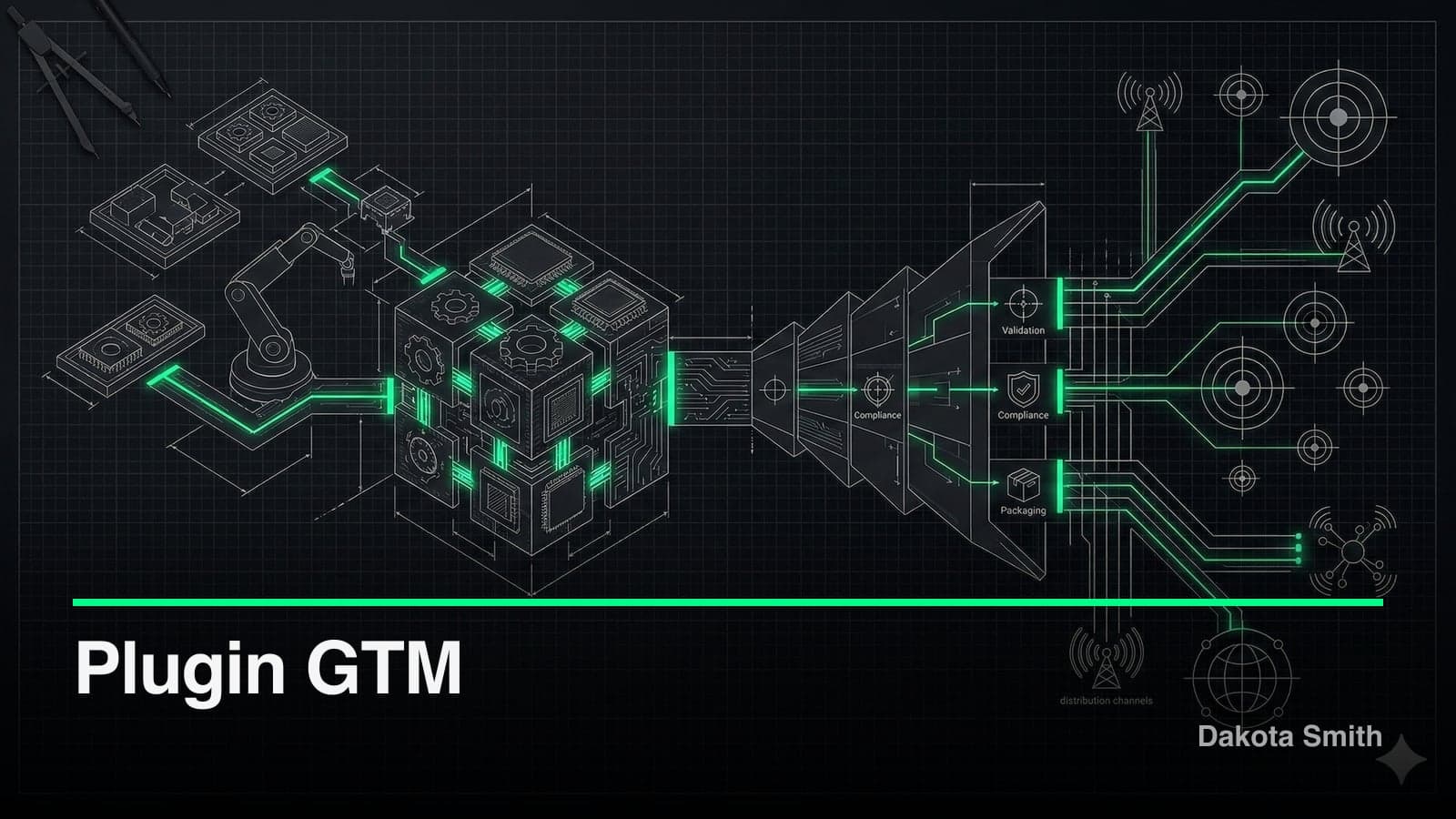
I built a go-to-market engine as a Claude Code plugin. It scans a codebase, builds positioning and messaging, generates launch content, and tracks execution — all from the terminal. 29 MCP tools. 7 skills. 106 tests. Zero context-switching to marketing tools.
Plugin GTM exists because the gap between "I built something" and "people know about it" is where most developer projects die. The Claude Code plugin system turned out to be the right platform to close that gap.
Project Overview
The Challenge
Developers ship code, then stall on go-to-market. Positioning requires thinking about audiences. Messaging requires distilling technical capability into benefits. Content requires writing landing pages, README files, social posts, and launch emails.
The typical workflow: finish coding, open a Google Doc, stare at a blank page, context-switch between 5 tools, and spend a weekend on launch prep. The mechanical work of GTM — not the strategy — consumes the time.
The Solution
Plugin GTM keeps the entire GTM workflow inside Claude Code. Seven slash commands cover the full lifecycle:
| Command | Purpose |
|---|---|
/gtm-analyze | Scan a codebase or describe an idea to build a product profile |
/gtm-plan | Create positioning, messaging, ICP, channels, pricing, timeline |
/gtm-content | Generate launch content across 9 content types |
/gtm-research | Competitive analysis, market sizing, channel research |
/gtm-publish | Export content from database to project files |
/gtm-refine | Iterate on content with feedback and version tracking |
/gtm | Dashboard, status, project list |
Tech Stack
| Category | Technology | Why |
|---|---|---|
| Runtime | Node.js 22+ | Native node:sqlite — zero external database dependencies |
| Protocol | MCP SDK (stdio) | Direct integration with Claude Code's tool system |
| Validation | Zod | Runtime type checking for all 29 tool parameters |
| Build | tsup (esbuild) | ESM output with sourcemaps and declaration files |
| Testing | Vitest | 106 tests with process isolation for SQLite |
| Persistence | SQLite (WAL mode) | Structured data with relational integrity |
Architecture
The plugin follows a three-layer design:
┌─────────────────────────────────────────────┐
│           Skills Layer (7 SKILL.md)          │
│  /gtm  /gtm-analyze  /gtm-plan  /gtm-content│
│  /gtm-research  /gtm-publish  /gtm-refine   │
├─────────────────────────────────────────────┤
│        MCP Server (29 tools, 2 resources)    │
│   Product CRUD │ Plan CRUD │ Content CRUD    │
│   Launch Items │ Versions  │ Export/Diff     │
├─────────────────────────────────────────────┤
│           SQLite Persistence (WAL)           │
│   products │ plans │ content │ versions      │
│                launch_items                   │
└─────────────────────────────────────────────┘
The skills layer handles user interaction through prompt engineering that guides Claude through GTM workflows. The MCP server handles data: 29 tools for CRUD operations, content versioning, and file export. SQLite provides persistence with foreign key constraints and cascading deletes.
The Data Model
Five tables form the core, with a clear hierarchy:
Product (1) ──< Plan (N)
                  │
           ┌──────┴──────┐
           │              │
    Content (N)    LaunchItem (N)
       │
ContentVersion (N)
A product has plans. Plans have content and launch items. Content has automatic version snapshots. Deleting a product cascades through all associated data. This is a deliberate choice for clean project management, though it carries the risk of accidental data loss.
Key Features
Content Versioning with Automatic Snapshots
Every content update triggers an automatic snapshot of the previous version before overwriting. This happens at the data layer, not the skill layer. It works regardless of which skill or tool initiates the change.
export function updateContent(id: string, updates: Partial<Content>) {
  const existing = getContent(id);
  if (!existing) throw new Error("Content not found");

  // Auto-snapshot before change
  if (updates.body !== undefined && updates.body !== existing.body) {
    snapshotVersion(id);
  }

  // Proceed with update...
}
The version history is append-only. Restoring a previous version creates a new snapshot of the current state, then overwrites with the restored content. No data is lost at any step.
Content Export with Drift Detection
Generated content lives in the SQLite database until exported to files. The export system detects drift between the database and filesystem:
export type DiffStatus =
  | "not_exported"    // Never exported
  | "in_sync"         // File matches database
  | "file_modified"   // Someone edited the file
  | "db_modified"     // Content updated in database
  | "both_modified";  // Both changed independently
This prevents a common problem: generating content, editing it manually, then overwriting with a stale database version. The /gtm-publish skill surfaces conflicts and lets you choose which version to keep.
GTM Templates by Category
Five category-specific templates provide starting points with pre-configured positioning, messaging, ICP profiles, and launch checklists:
| Template | Target | Key Channels |
|---|---|---|
developer-tool | Developers building tools | GitHub, HN, Twitter, Dev.to |
saas | SaaS products | ProductHunt, blogs, email, SEO |
open-source | OSS projects | GitHub, Reddit, Discord, conferences |
cli-tool | CLI applications | GitHub, package registries, tutorials |
api-service | API products | Docs site, integrations, developer relations |
Each template is a ~6KB TypeScript object with real positioning frameworks, not generic placeholder text. The developer-tool template includes positioning for both individual developers and team leads — different audiences with different buying criteria.
Performance Results
| Metric | Manual GTM | With plugin-gtm | Improvement |
|---|---|---|---|
| Time from code-complete to launch content | 2-3 days | 30-60 minutes | 3-6x faster |
| Content types generated per session | 1-2 | 5-9 | 4x coverage |
| Context switches to external tools | 5-8 | 0 | Eliminated |
| Version tracking of content iterations | Manual/none | Automatic | Full history |
The Tradeoffs
What This Costs
SQLite is synchronous and single-threaded. The DatabaseSync API from Node 22's native node:sqlite blocks the event loop during queries. For a single-user tool, queries complete in microseconds. For concurrent access from multiple Claude Code sessions, contention becomes real.
The MCP server is monolithic. All 29 tools live in a single 21KB index.ts file (~600 lines). Readable today, but adding 20 more tools would make a single file unwieldy. A tool registry pattern would scale better.
Templates are hardcoded. The 5 GTM templates are TypeScript objects compiled into the server. Adding a custom template requires modifying source code and rebuilding. A user-facing template system would be more flexible.
Content generation quality depends on the LLM. The MCP tools store and version content, but the writing happens in the skills layer through Claude. The quality of generated landing pages and social posts varies with how well the product was analyzed in step one.
When Not to Use This
Plugin GTM works for developer-focused products where the builder is also the marketer. It breaks down when:
- GTM requires cross-functional team coordination (no collaboration features)
- Distribution channels need API integrations (no automated posting)
- Content needs visual design (generates text only, no images or layouts)
- Market research needs quantitative data beyond what web search provides
Lessons Learned
What Worked Well
Codebase analysis as the entry point. Starting with /gtm-analyze — which reads README, package.json, source files, and git history — produces strong product profiles. Technical capability extraction maps directly to feature-benefit messaging. This approach works because the codebase is the product.
Separation of storage and generation. Keeping the MCP server as a pure CRUD layer and the skills as the intelligence layer made both easier to build and test. The 106 tests cover the data layer exhaustively without needing to test LLM output.
Content versioning by default. Making snapshots automatic (not opt-in) eliminated the "I liked the previous version better" problem. Users iterate freely knowing every version is preserved.
What I'd Do Differently
Add batch operations from the start. The initial 20 tools required individual calls for each operation. Version 0.2.0 added batch export and publish, but retrofitting batch semantics onto a per-item API required new tools rather than extending existing ones.
Integrate with at least one distribution channel. Even a single GitHub Releases integration would demonstrate the full pipeline: analyze → plan → generate → publish. Without automated distribution, the last mile is still manual.
Design the content model for collaboration. The single-user SQLite approach was fast to build but locks out the most valuable GTM pattern: getting feedback from others before launch.
Conclusion
Plugin GTM proves that developer marketing doesn't need to be a context-switching marathon. Persistent storage, structured workflows, and content versioning handle the mechanical work. Product analysis, positioning frameworks, content generation, and launch checklists stay in the environment where you built the product.
The real value isn't the content generation. It's the structured thinking that /gtm-plan forces: define your ICP before writing copy, establish positioning before creating content, track launch items with deadlines.
Key Takeaways:
- Codebase analysis is an effective starting point for product positioning — the code reveals technical capability that maps to messaging
- Content versioning should be automatic, not opt-in — iteration happens constantly, and users need to restore previous versions
- Drift detection between database and filesystem prevents the most common content management failure: accidental overwrites
- Category-specific GTM templates provide 80% of the strategy framework, letting you focus on the 20% that's unique to your product
- MCP server architecture separates data persistence from LLM-driven generation, making both independently testable
Source Code: GitHub
You Might Also Like
Building Plugin Ops: A Claude Code Plugin for Plugin Maintenance
Explore how I built a 32-tool MCP server with health scanning, issue tracking, release management, and operational runbooks for Claude Code plugins.
Building Plugin Architect: A Zero-Code Claude Code Plugin
Discover how 30KB of prompt engineering replaced a SQLite-backed codebase to become a complete plugin design system for Claude Code's 6 extension points.
Claude Code Skills and the Agent Skills Open Standard
Build portable AI agent capabilities with Claude Code's SKILL.md format. The Agent Skills open standard works across 10+ platforms including GitHub Copilot.
Comments
Loading comments...