A well-built Claude Skill costs 100 tokens when idle — roughly one cent per thousand conversations. Load 10 Claude Skills at once and the overhead stays negligible. That efficiency comes from an architecture most users never see: a three-tier progressive disclosure system that loads information only when Claude needs it.
Part 1 of this series covered what Skills are and why they matter for non-technical teams. This guide goes deeper. You'll learn the architecture behind Skills, how to build advanced multi-step workflows with validation, and how to deploy Skills across an organization.
The Three-Tier Architecture
Every Skill loads in three stages. Understanding these stages is the difference between a Skill that wastes context and one that scales.
Tier 1 — Metadata (always loaded). Claude reads the Skill's name and description at the start of every conversation. Cost: ~100 tokens per Skill. This is how Claude decides whether your Skill is relevant to the current task.
Tier 2 — Instructions (loaded when triggered). When Claude determines a Skill applies, it loads the full instruction file. Cost: under 5,000 tokens. This contains the step-by-step playbook for the workflow.
Tier 3 — Resources (loaded as needed). Supporting files — templates, reference docs, scripts — load only when a specific step requires them. Cost: effectively unlimited because they enter context one piece at a time.
The result: Anthropic reports a 98% token reduction when Skills are present but not triggered. Install 20 Skills and pay the context cost of fewer than 2,000 tokens total until one activates.
This architecture also means the structure of your Skill matters more than its length. A 200-line instruction file that loads 5 reference files on demand outperforms a 1,000-line monolith that loads everything upfront.
Building Advanced Claude Skills
The Skill File Format
Every Skill is a directory containing a SKILL.md file. The file has two parts: YAML frontmatter (metadata) and markdown body (instructions).
---
name: weekly-report
description: Generates weekly status reports from raw notes, following the team's standard format with executive summary, risk flags, and metric tables.
---

## Instructions

When the user provides weekly notes, meeting summaries, or ticket updates:

1. Extract key metrics and progress items
2. Format using the team template in REPORT_TEMPLATE.md
3. Flag any items marked "blocked" or "at risk"
4. Generate executive summary (3 sentences max)
Two rules for the description field: write it in third person ("Generates weekly reports" not "I generate weekly reports"), and be specific about when the Skill applies. Vague descriptions like "helps with reports" cause poor activation accuracy. Specific descriptions like "generates weekly status reports from raw notes" trigger reliably.
Supporting Files
A Skill directory can contain anything Claude needs:
weekly-report/
  SKILL.md              # Main instructions (Tier 2)
  REPORT_TEMPLATE.md    # Team's report format (Tier 3)
  METRIC_DEFINITIONS.md # What each KPI means (Tier 3)
  examples/
    good-report.md      # Example of excellent output (Tier 3)
Claude loads REPORT_TEMPLATE.md when it reaches the "format using the team template" step — not before. This keeps the context window lean until the information is needed.
Executable Scripts
This is where Skills get powerful. A Skill can include Python or JavaScript scripts that Claude runs during execution. The script source code never enters the context window. Only the script's output does.
A PDF analysis Skill might include:
pdf-analyzer/
  SKILL.md
  scripts/
    extract_text.py     # Extracts text from PDF
    extract_tables.py   # Extracts tabular data
    validate_output.py  # Checks extraction quality
Claude runs extract_text.py on the uploaded PDF, receives the extracted text as output, and works with that text — without the script source code consuming context tokens. This makes scripts far more token-efficient than having Claude generate equivalent code from scratch each session.
The tradeoff: script availability depends on the platform. On claude.ai, Claude can install packages from npm and PyPI. On the API, only pre-installed packages are available. Know your deployment target before building script-heavy Skills.
The Validation Pattern
The most reliable advanced pattern is plan-validate-execute:
- Claude creates an intermediate output (a draft, a data structure, a plan)
- A validation script checks the output for errors
- Claude fixes any issues before proceeding
- Final execution only happens after validation passes
This catches errors before they compound. For a form-filling Skill, the sequence looks like: analyze form → generate field mapping → validate mapping against constraints → fill the form → verify output. Each step has a checkpoint. If validation fails at step 3, Claude returns to step 2 instead of producing a broken final result.
Patterns That Separate Good Skills From Great Ones
Chunk Over Monolith
A single 800-line Skill that handles voice consistency, audience targeting, format selection, and quality review will underperform four focused Skills that each handle one concern.
Rhonda Britten, a business coach, tested this directly: a master voice Skill combined with separate audience-specific Skills (public-facing vs. coaching clients) outperformed a monolithic voice profile. Each audience Skill activates independently based on context.
The principle: one Skill, one job. Composition happens through Claude's judgment, not through complex branching inside a single Skill.
Workflow Sequencing
Skills compose naturally when their descriptions are specific. A four-Skill content pipeline:
- Business Case Builder — Analyzes opportunity and generates projections
- Sales Page Writer — Takes the business case and creates conversion copy
- Email Conversion Tester — Reviews the sales page for conversion optimization
- Social Amplifier — Generates platform-specific posts from the sales page
Each Skill's description references the output of the previous step. Claude chains them automatically when you say "take this business case through the full content pipeline." No explicit chaining mechanism exists — composition happens through Claude's semantic understanding of each Skill's description.
Calibrate Freedom
Match prescriptiveness to risk:
- High freedom (text guidance only): Content analysis, brainstorming, code reviews. Claude uses judgment within guardrails.
- Medium freedom (templates and pseudocode): Reports with preferred structure, emails with required sections. Claude fills a framework.
- Low freedom (exact scripts): Data migrations, compliance documents, financial calculations. Claude executes precisely specified steps.
The higher the cost of error, the lower the freedom. A creative brainstorm Skill and a payroll calculation Skill need fundamentally different levels of prescriptiveness.
Real-World Results
These results come from published case studies, not synthetic benchmarks.
| Skill | Creator | Result |
|---|---|---|
| SEO Content Optimizer | Wyndo | 3,500 monthly Google clicks using Skills to analyze top-ranking pages and generate optimized content |
| MCP Execution Debugger | Jenny Ouyang | Converted 20-minute debugging sessions into 2-minute structured diagnostic reports |
| Learning Capture (Blue Fish) | mark | Auto-extracts insights from conversations into a categorized Notion database using scan + capture sub-skills |
| Inventory Analyst | Alex Willen | Projects 12-month sales using velocity, manufacturing time, shipping delays, and seasonal patterns |
| Brand Onboarding Package | Patrick Schaber | Packages brand guidelines into a shareable Skill so new contractors produce on-brand work from day one |
The common thread: each Skill encodes domain expertise that would otherwise require re-explanation every session. The Blue Fish Skill uses a two-word trigger ("PIN" to capture, "APPROVE" to confirm) to minimize friction during normal conversations.
Team Deployment
Skills distribution varies by plan:
Individual (Pro/Max): Skills are private to your account. No peer-to-peer sharing mechanism exists on claude.ai.
Team/Enterprise: Organization Owners upload Skills through admin settings. Provisioned Skills appear for all org members immediately. Owners choose whether Skills are enabled or disabled by default. Individual users can toggle provisioned Skills off but cannot delete org-provisioned ones.
Skills Directory: Pre-built partner Skills from Notion, Figma, Atlassian (Jira/Confluence), Canva, and Cloudflare. Admins provision these across the org in one click from claude.com/connectors.
The tradeoff: Skills do not sync across surfaces. A Skill uploaded to claude.ai must be separately uploaded to the API and separately configured for Claude Code. If your team works across multiple Anthropic surfaces, plan for maintaining Skills in each environment.
When Skills Break Down
Skills are not the right tool for every situation.
Vague descriptions cause misfires. Skills activate based on semantic matching between the conversation and the Skill description. If your description is generic ("helps with writing"), the Skill triggers when it shouldn't and stays silent when it should activate. Test activation with 10 different prompt phrasings before deploying to your team.
Session state resets. Skills don't persist data between conversations. Each session starts fresh. If your workflow requires memory across sessions, you need an external system (Notion, a database, a shared file) as the persistence layer.
500 lines is the practical limit. Anthropic recommends keeping SKILL.md under 500 lines. Beyond that, move content into supporting reference files that load on demand. A 1,200-line SKILL.md wastes context on instructions Claude doesn't need for the current step.
Security matters for shared Skills. A Skill can direct Claude to execute arbitrary code through bundled scripts. Only install Skills from trusted sources. For organizations, the admin provisioning path provides centralized control. For individuals, review any community Skill's scripts before installing.
One-off tasks don't need Skills. If you'll do something once, a normal prompt is faster than building a Skill. The return on investment starts at the second use and compounds with every use after that. Budget 15-30 minutes to build and test a first working Skill.
Conclusion
Skills are infrastructure, not features. The three-tier architecture makes them lightweight to install and powerful to execute — but only when built with that architecture in mind.
Key Takeaways:
- Skills use progressive disclosure: ~100 tokens at rest, under 5,000 when active, unlimited resources on demand — a 98% context reduction when idle
- Structure Skills as focused, single-purpose units; composition through multiple Skills outperforms monolithic mega-Skills
- Use the plan-validate-execute pattern for any Skill where errors are costly
- Match prescriptiveness to risk: high freedom for creative tasks, low freedom for precision tasks
- Team deployment requires admin provisioning; Skills do not sync across claude.ai, the API, and Claude Code
This is Part 2 of a series on Claude Skills. Part 1 covers what Skills are and why they matter for non-technical teams. Part 3 dives into Claude Code Skills and the Agent Skills open standard for developers.
You Might Also Like

AI Isn't Just for Coders: How Claude Skills Bridge the Gap
Discover why half of all workers avoid AI — and how Claude Skills turn any workflow into a repeatable, quality-controlled playbook. No coding required.
Claude Code Skills and the Agent Skills Open Standard
Build portable AI agent capabilities with Claude Code's SKILL.md format. The Agent Skills open standard works across 10+ platforms including GitHub Copilot.
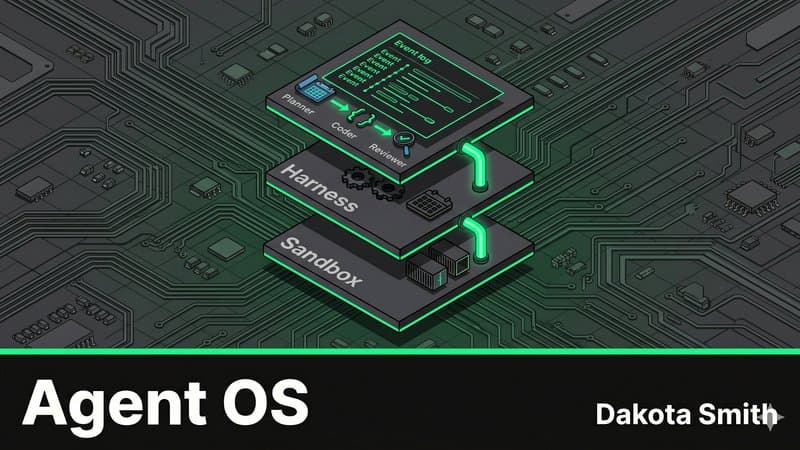
The Agent Operating System: Multi-Agent Pipelines with Claude
Map OS abstractions to Claude Managed Agents architecture and build a three-agent auto-PR pipeline that plans, codes, and reviews autonomously.
Comments
Loading comments...