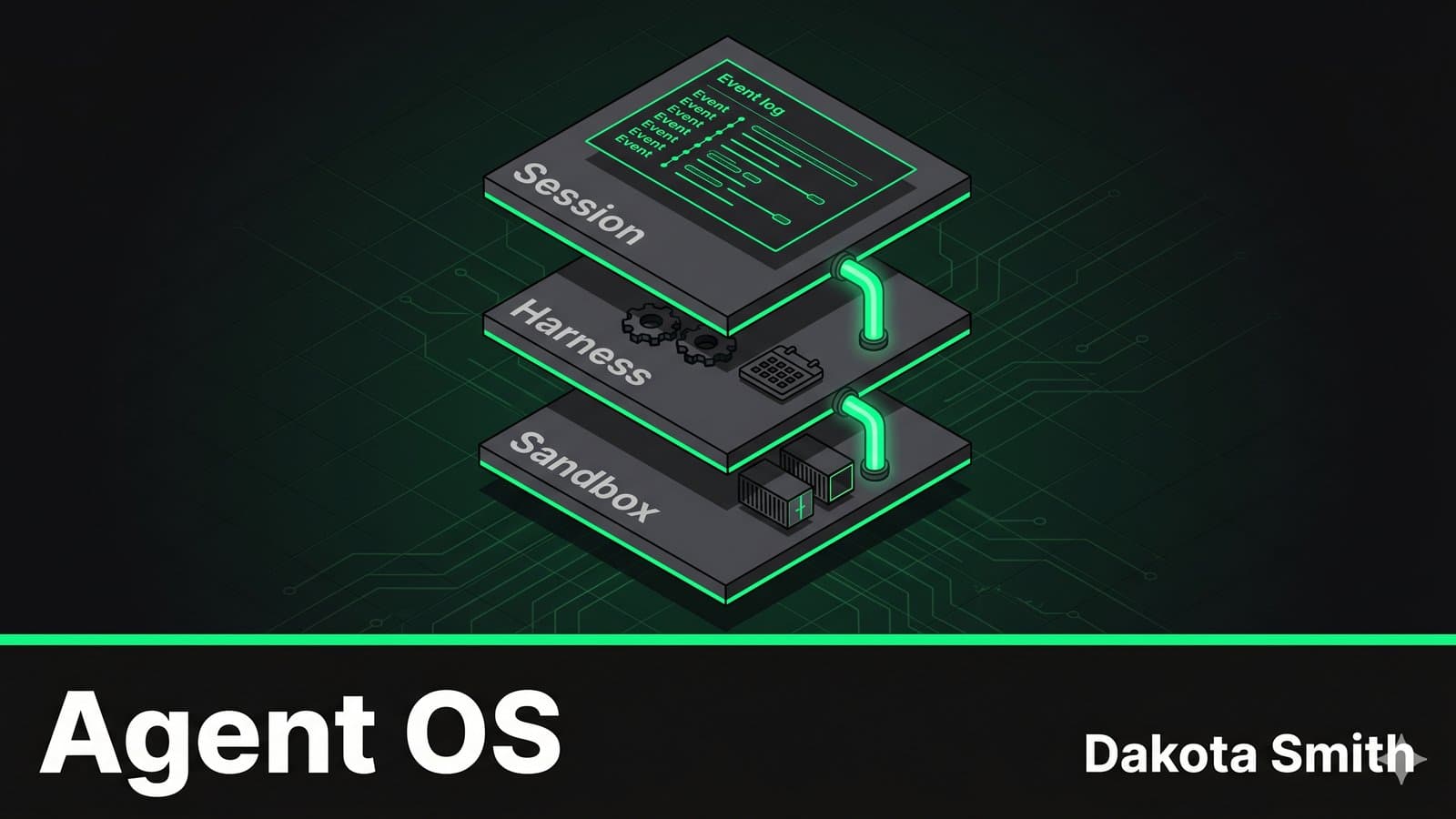
Claude Managed Agents is an operating system for AI agents. Not metaphorically — the Claude Managed Agents architecture maps directly to OS primitives. Sessions are processes. Harnesses are schedulers. Sandboxes are device drivers. Understanding this mapping explains why the platform works, where it breaks down, and how to build multi-agent systems on top of it.
I've built four generations of agent orchestration systems, each one teaching me something about coordination, drift, and crash recovery. Managed Agents solves many of the infrastructure problems I solved by hand in STUDIO — and introduces tradeoffs I didn't have to make. This post walks through both sides using a concrete example: a three-agent pipeline that takes a GitHub issue and produces a reviewed pull request.
Claude Managed Agents as an Operating System
Operating systems virtualize hardware so applications don't manage memory, disk I/O, or CPU scheduling directly. Managed Agents virtualizes agent infrastructure so developers don't manage execution loops, state persistence, or sandbox lifecycle directly.
The mapping is specific:
| OS Concept | Managed Agents Equivalent | What It Abstracts Away |
|---|---|---|
| Process | Session (append-only event log) | State management, conversation history |
| Scheduler | Harness (stateless orchestration) | Agent loop, tool routing, retry logic |
| Device driver | Sandbox (interchangeable containers) | Code execution, file I/O, network access |
| IPC | Events (SSE between threads) | Inter-agent communication and handoffs |
| Filesystem | Persistent container storage | File state across tool calls |
When I built STUDIO, I implemented my own versions of all five. The Planner-Builder-ContentWriter pipeline needed a custom event loop, crash recovery logic, and a preference persistence system. STUDIO's supervision model — confidence scoring, mandatory questioning, validation commands per step — was my "scheduler." The codebase itself was my "filesystem."
Claude Managed Agents standardizes these primitives. The question is whether the standard abstractions fit your workload.
Building the Pipeline: Three Agents, Three Roles
Here's the auto-PR pipeline: a Planner agent that breaks down a GitHub issue into implementation steps, a Coder agent that writes the code, and a Reviewer agent that validates the output before opening a PR. This maps to STUDIO's Planner-Builder pattern, but with Anthropic managing the orchestration.
Defining the Agents
Each agent gets its own model, system prompt, and tool configuration:
const planner = await client.beta.agents.create({
  name: "PR Planner",
  model: "claude-sonnet-4-6",
  system: `You are an implementation planner. Given a GitHub issue:
    1. Analyze the requirements
    2. Identify affected files
    3. Break the work into ordered implementation steps
    4. Specify a validation command for each step
    Output a structured JSON plan.`,
  tools: [
    {
      type: "agent_toolset_20260401",
      configs: [
        { name: "bash", enabled: true },
        { name: "read", enabled: true },
        { name: "glob", enabled: true },
        { name: "grep", enabled: true },
      ],
      default_config: { enabled: false },
    },
  ],
});

const coder = await client.beta.agents.create({
  name: "PR Coder",
  model: "claude-sonnet-4-6",
  system: `You are an implementation agent. Given a plan with ordered steps:
    1. Execute each step in order
    2. Run the validation command after each step
    3. If validation fails, fix and retry (max 3 attempts)
    4. Stop and report if a step cannot pass validation`,
  tools: [{ type: "agent_toolset_20260401" }],
});

const reviewer = await client.beta.agents.create({
  name: "PR Reviewer",
  model: "claude-sonnet-4-6",
  system: `You are a code reviewer. Review the implementation against the plan:
    1. Check that all plan steps were completed
    2. Run the full test suite
    3. Review code quality, patterns, and potential issues
    4. Either APPROVE with a summary or REJECT with specific fixes needed`,
  tools: [
    {
      type: "agent_toolset_20260401",
      configs: [
        { name: "write", enabled: false },
        { name: "edit", enabled: false },
      ],
    },
  ],
});
Notice the tool scoping. The Planner gets read-only access — it plans but doesn't modify. The Reviewer can read and run commands but can't write files. This is the "principle of least privilege" applied to agents. In STUDIO, I enforced this through agent prompt instructions. Managed Agents enforces it at the infrastructure level, which is more reliable.
Wiring the Handoffs
The coordinator agent declares which agents it can call via callable_agents:
const coordinator = await client.beta.agents.create({
  name: "PR Coordinator",
  model: "claude-sonnet-4-6",
  system: `You coordinate the auto-PR pipeline:
    1. Send the issue to the Planner for analysis
    2. Send the plan to the Coder for implementation
    3. Send the result to the Reviewer for validation
    4. If rejected, send fixes back to the Coder
    5. On approval, create the PR via bash`,
  tools: [{ type: "agent_toolset_20260401" }],
  callable_agents: [
    { type: "agent", id: planner.id, version: planner.version },
    { type: "agent", id: coder.id, version: coder.version },
    { type: "agent", id: reviewer.id, version: reviewer.version },
  ],
});
Each agent runs in its own thread — an isolated context with its own conversation history. The coordinator sees condensed summaries of thread activity on the primary session stream. To inspect what the Coder is doing in detail, you stream the thread directly:
// Stream the coordinator's primary session
const stream = await client.beta.sessions.events.stream(session.id);

// Drill into a specific thread for full traces
for await (const thread of client.beta.sessions.threads.list(session.id)) {
  if (thread.agent_name === "PR Coder") {
    const threadStream = await client.beta.sessions.threads.stream(
      thread.id, { session_id: session.id }
    );
  }
}
This is the "multiple brains" model from the Managed Agents architecture. Each brain has its own context, its own tools, and its own thread — but they share a filesystem inside the same container.
Session Durability and Crash Recovery
The most underappreciated feature of this architecture: sessions survive infrastructure failures.
In STUDIO, if the Builder crashed mid-execution, I had to implement recovery myself. The supervision system tracked which steps had completed, and the retry logic knew how to resume from the last successful validation. That recovery code accounted for roughly 20% of STUDIO's complexity.
Managed Agents handles this through the append-only session log. Because sessions live outside the harness, a crashed harness doesn't lose history:
// After a harness crash, recovery is three calls:
const session = await getSession(sessionId);     // Full history intact
const harness = await wake(sessionId);           // New harness instance
await emitEvent(sessionId, resumeEvent);         // Resume from last event
The Coder agent's thread retains its full conversation — every file it read, every command it ran, every validation result. A new harness picks up exactly where the old one stopped. No checkpoint files, no recovery protocols, no state reconciliation.
This matters for the auto-PR pipeline because implementation sessions can run for 30+ minutes with dozens of tool calls. A single infrastructure hiccup shouldn't invalidate all that work.
The Scaling Model: Multiple Brains, Multiple Hands
The pipeline described above uses one brain (harness) per agent. But the architecture supports scaling both axes independently.
Horizontal harness scaling: Because harnesses are stateless, you can run multiple coordinator sessions in parallel — each processing a different GitHub issue. No shared state means no coordination overhead between sessions.
Multiple sandboxes per session: A single harness can route tool calls to different execution environments. The Coder agent could theoretically fan out to parallel sandboxes — one for frontend changes, one for backend, one for tests — and merge results.
This is where the multi-agent research preview becomes interesting. The callable_agents API already supports one level of delegation (coordinator → specialists). The Coder and Reviewer can run in parallel on independent parts of the codebase. The event types tell the story:
| Event | Meaning |
|---|---|
session.thread_created | Coordinator spawned a new agent thread |
agent.thread_message_sent | An agent sent work to another thread |
agent.thread_message_received | An agent received delegated work |
session.thread_idle | An agent thread finished its current task |
The coordinator receives these events and decides when to proceed. If the Reviewer rejects, the coordinator routes the rejection reasons back to the Coder's thread — and that thread retains its full history from the first attempt.
Tradeoffs: Managed vs. Self-Built
I've run STUDIO for three months in production. Here's an honest comparison:
| Factor | STUDIO (Self-Built) | Managed Agents |
|---|---|---|
| Infrastructure setup | 2 weeks of building harness, recovery, supervision | Hours of API configuration |
| Crash recovery | Custom checkpoint + retry logic (~20% of codebase) | Built-in via session durability |
| Tool permissions | Prompt-based enforcement (agent can ignore) | Infrastructure-level enforcement |
| Custom orchestration | Full control — confidence scoring, preference learning, mandatory questioning | Limited to system prompts and tool configuration |
| Agent delegation depth | Unlimited nesting (Planner → Builder → Sub-builder) | One level only (coordinator → agents, agents cannot delegate further) |
| Credential security | Application-level isolation | Sandbox-level isolation with vault storage |
| Debugging | Full local logs and traces | Thread-level streaming + Console analytics |
| Cost visibility | Direct token counting | Token costs + managed compute |
STUDIO wins when you need custom supervision logic. Confidence scoring, preference learning, mandatory questioning before execution — these require control over the agent loop that Managed Agents doesn't expose. If your agent's value comes from how it orchestrates rather than what it executes, self-built gives you the knobs.
Managed Agents wins when the orchestration is standard but the infrastructure is complex. Sandboxing, credential isolation, crash recovery, horizontal scaling — these are solved problems that shouldn't be solved again per-project. The auto-PR pipeline above would take weeks to build with proper infrastructure. With Managed Agents, the infrastructure is configuration.
When NOT to use either for this pattern:
- Single-turn interactions where a PR can be generated in one Messages API call
- Codebases requiring custom security scanning that can't run inside a managed container
- Environments where agent-generated code must be reviewed by humans before any file writes (Managed Agents writes files inside the sandbox — you review the output, not individual writes)
Conclusion
The OS metaphor holds because it predicts behavior. Sessions persist like processes. Harnesses restart like schedulers. Sandboxes swap like device drivers. When you understand the abstraction, you can predict what the platform handles and what you need to build yourself.
Key Takeaways:
- The OS mapping (session=process, harness=scheduler, sandbox=device) is structural, not cosmetic — it predicts crash recovery, scaling, and isolation behaviors
- Multi-agent pipelines use
callable_agentsand threads to isolate context while sharing a filesystem — each agent sees only its own conversation history - Session durability eliminates custom crash recovery code — the append-only event log survives harness failures without checkpointing
- Self-built systems like STUDIO retain advantages in custom orchestration logic (confidence scoring, preference learning, supervision rules)
- The one-level delegation limit means complex agent hierarchies still need custom coordination — Managed Agents handles the leaf nodes, not the full tree
The direction is clear: Claude Managed Agents signals that agent infrastructure is becoming a platform concern, not an application concern. The teams that benefit most are the ones spending more time on plumbing than on the agent behavior they shipped the plumbing to enable.
You Might Also Like
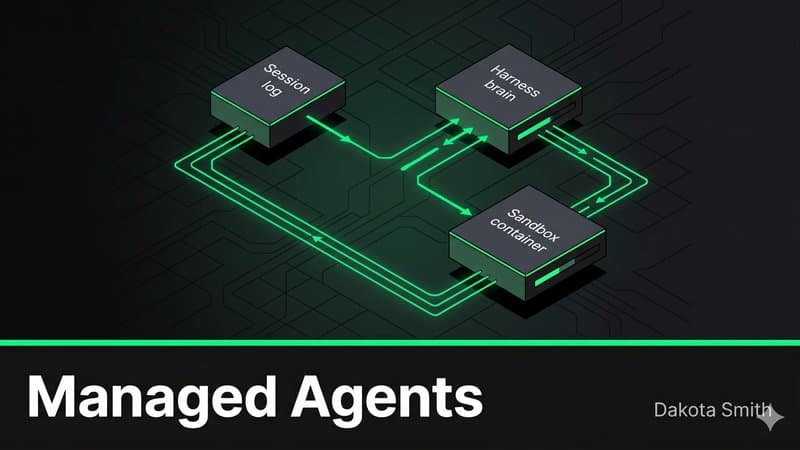
Claude Managed Agents: The End of DIY Agent Infrastructure
Discover how Claude Managed Agents replaces months of custom agent infrastructure with a decoupled architecture that cuts time-to-first-token 60%.
Why I Built STUDIO: Four Generations of AI Code Supervision
Four AI orchestration systems taught me that 19 agents produce more drift than 3 supervised ones. STUDIO adds confidence scoring and preference learning.
WebMCP: How Chrome Turns Websites Into AI Agent APIs
Explore Chrome's WebMCP protocol that lets websites expose structured tools to AI agents, replacing brittle scraping with stable, typed APIs.
Comments
Loading comments...