
Half your team isn't using AI. That's not speculation — Gallup reports that 49% of U.S. workers never touch AI tools at work. Among those who do, confidence is dropping: ManpowerGroup measured an 18% decline in AI confidence even as usage climbed 13% over the past year. Meanwhile, a feature called Claude Skills is solving the exact problem that drives this resistance — and most people have never heard of it.
The conventional response to low adoption: "Those employees need training." But 87% of workers have received zero AI training, and the answer isn't another workshop with generic prompts. The answer is giving people structured tools that match how they already work.
The Blank Prompt Problem
Most people's first AI experience follows the same pattern. Open a chatbot. Stare at a blank text box. Type something vague. Get a vague response. Walk away unimpressed.
This isn't a user problem. It's a design problem.
A blank prompt box is the AI equivalent of handing someone an empty spreadsheet and saying "do finance." Without context about your role, your standards, and your workflow, AI produces generic output that requires so much editing it feels faster to do the work yourself.
The data confirms this: 45% of employees doubt AI's accuracy, according to SurveyMonkey's 2026 workplace report. A growing number of workers experience what psychologists now call FOBO — Fear of Becoming Obsolete. 73% worry about losing their professional skills to AI, so they avoid it entirely.
The irony: the people most skeptical of AI stand to benefit the most from structured AI workflows.
What Are Claude Skills?
Skills are Claude's answer to the blank prompt problem. Instead of starting every conversation from scratch, a Skill teaches Claude how you work — once — and applies that knowledge automatically going forward.
Think of a Skill as a playbook. You define:
- What Claude should produce (a weekly status report, a content brief, an onboarding checklist)
- How it should be structured (your team's format, your company's tone, your manager's preferred level of detail)
- What standards to maintain (word count, required sections, data points to include)
Once created, a Skill activates whenever the task is relevant. No re-explaining context. No copy-pasting previous prompts. The institutional knowledge is built in.
Here's the important part: creating a Skill requires zero coding. You build one by describing your workflow to Claude in a normal conversation. Claude generates the Skill structure for you. If you can describe how you do your job, you can create a Skill.
This isn't a developer tool repurposed for business users. Anthropic designed Skills for everyone — pre-built Skills for document creation (Excel, Word, PowerPoint, PDF) ship with every Claude account, including the free tier. Custom Skills require a Pro subscription, but the creation process stays the same: describe your process, let Claude build it.
Skills in Action: Four Business Workflows
Here's what Skills look like across four non-technical roles.
Project Manager: Weekly Status Reports
Before: Copy last week's report. Update each section manually. Chase down teammates for numbers. Spend 45 minutes formatting.
With a Status Report Skill: Feed Claude your raw notes, meeting summaries, and ticket updates. The Skill enforces your report template — executive summary first, risk items flagged, metrics in a consistent format every time. A polished status report in 3 minutes instead of 45.
The Skill doesn't do the thinking for you. You decide what's important. But the formatting, structure, and consistency happen without effort.
Marketing Manager: Content Repurposing
Before: Write a blog post. Manually adapt it for LinkedIn, the newsletter, social media, and an internal summary. Each version takes 15-20 minutes.
With a Repurposing Skill: Feed Claude the original post. The Skill produces all four versions — each adapted for the platform's format, character limits, and tone — while maintaining your brand voice. One input, four outputs, 60+ minutes saved per piece of content.
HR Professional: Onboarding Checklists
Before: Copy the template for each new hire. Customize by role. Miss the same items every third hire because the template drifted from the actual process.
With an Onboarding Skill: The Skill contains your complete onboarding process — role-specific requirements, equipment lists, access permissions, training schedules. Feed it the new hire details. It generates a customized, complete checklist every time. Zero items forgotten because the Skill is the single source of truth.
Sales Lead: Call Preparation
Before: Scan the CRM. Skim recent emails. Wing the opening pitch.
With a Call Prep Skill: Paste the prospect's information and recent communications. The Skill generates a briefing document: company context, previous touchpoints, suggested talking points, and three discovery questions. Preparation that took 20 minutes now takes 2.
Why Consistency Matters More Than Speed
Enterprise AI users report saving 40-60 minutes per day, according to OpenAI's 2025 Enterprise Report. Those time savings are real. But speed isn't the primary value of Skills.
Consistency is.
Without a Skill, Claude's output varies based on how you phrase the prompt. Ask the same question three different ways, get three different quality levels. Teams working without Skills produce work that depends entirely on who wrote the prompt and how much time they had.
With a Skill, the quality floor rises. Every output follows the same structure, meets the same standards, and includes the same required elements. The worst output your team produces with a Skill is better than the average output without one.
This matters most for teams where consistency is the goal: compliance documents, client deliverables, internal reporting, brand communications. One Skill that enforces your standard eliminates the variance.
OpenAI's enterprise research reinforces this: 75% of enterprise AI users report completing tasks they couldn't complete before. The gap isn't about doing things faster. It's about reaching a quality bar that previously required specialized expertise.
Getting Started in Five Minutes
No technical setup required. Four steps:
1. Identify your most repetitive workflow. Not the most complex — the most frequent. The report you write every Monday. The email structure you recreate weekly. The analysis format your stakeholders expect.
2. Describe it to Claude. Open Claude and say: "I want to create a Skill for [your workflow]. Here's how I do it today..." Walk Claude through your process, your format, and your quality standards. Be specific about what a good output looks like.
3. Let Claude build the Skill. Claude generates a structured Skill based on your description. Review it. Adjust any details. Save it.
4. Use it. Next time you need that workflow, the Skill handles the structure. You focus on the substance.
The entire process takes five minutes for a straightforward Skill. Every use after that compounds the return.
For teams, the math is compelling. A team of 10 people using 3-4 Skills each, saving 30 minutes per day — that's 25 hours of recovered capacity per week. At a loaded cost of $50/hour, that's over $65,000 per year in productivity gains.
Conclusion
The divide between AI adopters and AI skeptics isn't about technical ability. It's about whether people have structured tools that match their actual work.
The teams pulling ahead in 2026 aren't more technical. They're more systematic. They encode their workflows, their standards, and their institutional knowledge into Skills — and Claude works the way they work instead of the other way around.
Key Takeaways:
- 49% of workers avoid AI because the blank prompt produces inconsistent results — Skills solve this with built-in structure
- Creating a Skill requires zero coding: describe your workflow to Claude and let it build the Skill for you
- The biggest value isn't speed — it's consistency across every output, every team member, every time
- Start with your most repetitive workflow, not your most complex one
- Skills compound across teams: 10 people using 4 Skills each can recover 25+ hours per week
The question for your team isn't "should we use AI?" It's "have we given AI enough structure to produce useful output?" Skills are that structure.
This is Part 1 of a series on Claude Skills. Part 2 covers power-user techniques for building advanced Skills. Part 3 dives into Claude Code Skills and the Agent Skills open standard for developers.
You Might Also Like
Claude Skills for Power Users: Scripts, Teams, and Architecture
Explore Claude Skills' three-tier progressive disclosure architecture and learn to build advanced workflows using executable scripts and team deployment.
Claude Code Skills and the Agent Skills Open Standard
Build portable AI agent capabilities with Claude Code's SKILL.md format. The Agent Skills open standard works across 10+ platforms including GitHub Copilot.
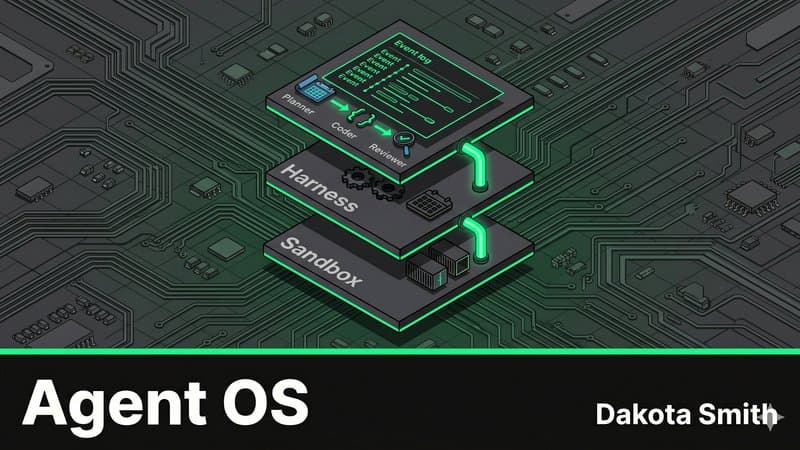
The Agent Operating System: Multi-Agent Pipelines with Claude
Map OS abstractions to Claude Managed Agents architecture and build a three-agent auto-PR pipeline that plans, codes, and reviews autonomously.
Comments
Loading comments...